How to Drift in Car Driving Ultimate
TCS off, handbrake on, throttle smooth — slide every corner with control.
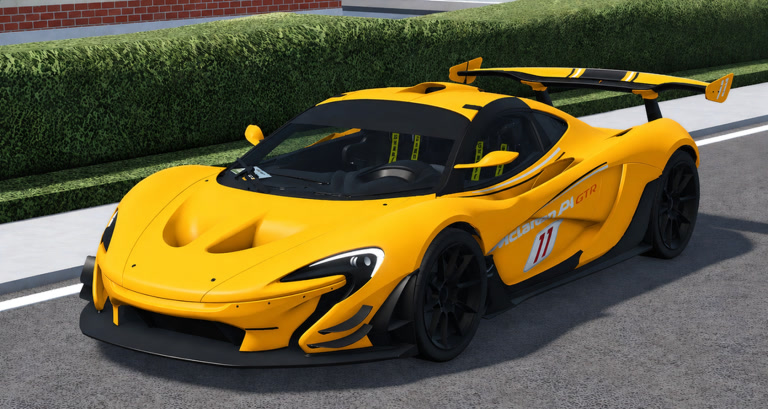
Drifting is one of the most searched skills in Car Driving Ultimate. Players want tire smoke, stylish entries, and clean exits without spinning into a wall. This guide explains the exact inputs used in the Roblox vehicle sim and how to practice them on free cars before you touch Admin or Track Pass vehicles.
If you still need the key map, read Controls first. New accounts should also skim Getting Started.
The three inputs that matter
- Traction control (T) — turn it off. With TCS on, the game fights oversteer. Community answers from the official channel repeatedly tell players to disable TCS for burnouts and slides.
- Handbrake (P) — tap to break rear grip and rotate the car.
- Throttle (W) — feather acceleration to hold the drift angle instead of spinning out.
Steering with A/D sets the direction of the slide. Semi-automatic transmission (M) can help advanced players hold a gear mid-drift, but beginners can stay on automatic.
Step-by-step first drift
- Spawn a free rear-biased sports car from the garage. Avoid the heaviest trucks for learning.
- Press T until traction control is off.
- Build moderate speed on a wide road or empty lot.
- Steer into the corner and tap P once to start the slide.
- Immediately release the handbrake and add light throttle with W.
- Counter-steer with A/D to keep the nose pointed through the exit.
- Straighten and reapply throttle only when the car is stable.
Repeat on the same corner ten times. Consistency beats random smoke.
Burnouts vs drifts
A burnout keeps the car mostly in place while the driven wheels spin. Hold brake and throttle together with TCS off, or use handbrake in a parking lot to light the tires.
A drift is a controlled slide while moving. You need entry speed, a handbrake flick, and throttle modulation. Do not mash W the entire time — that usually ends in a spin.
Car choice for learning
Start with free cars that feel responsive but not terrifyingly powerful. Browse Best Free Cars for starter picks. Hypercars from Admin Cars can drift, yet their power makes mistakes expensive while you learn timing.
Track Pass race cars listed on the Tier List Hub are often stiff and track-focused. They can slide, but they are not the gentlest teachers.
Map spots that help
Use wide boulevards, empty industrial lots, and gentle highway curves. Tight downtown alleys punish early mistakes. Free camera (Shift + P) helps you scout open asphalt before committing. Server size is 16, so pick quieter servers when practicing long sessions.
Common mistakes
- Leaving TCS on and wondering why the car refuses to slide
- Holding handbrake too long and locking into a spin
- Full throttle from entry to exit
- Learning on the fastest Admin car first
- Ignoring camera lock (B) when the chase cam fights your view
Fix one mistake per practice block. Record a short clip and compare entries.
Linking drift practice to other goals
Drifting is fun alone, but it also trains throttle control for races and mile grinding. Smooth drivers waste less time recovering from crashes while chasing the Miles Badges. After you can hold a five-second slide, customize paint and calipers on the Customization page so your smoke clips look intentional.
Watch Discord announcements via the Community Hub for events or new cars that change the meta. Check Updates after patches in case handling or new vehicles arrive.
Advanced tips
- Enter slightly slower than you think, then add throttle mid-corner.
- Use semi-automatic to stay in a mid gear that keeps the tires spinning without exploding traction on exit.
- Chain two corners by bleeding speed with a light handbrake tap between them.
- On flying vehicles, do not confuse altitude keys with drift inputs — stay grounded while learning.
Related pages
- Controls — full key reference
- Getting Started — first-hour plan
- Best Free Cars — learning platforms
- Admin Cars — high-power options later
- Scripts Hub — third-party tools (risky; optional)
Turn TCS off, tap P, feather W. That is the entire core loop — everything else is practice mileage.
Frequently Asked Questions
Quick answers about codes, cars, drift, and progression.
How do I drift in Car Driving Ultimate?
Turn traction control off with T, build speed, tap handbrake P while steering, then feather throttle to hold the angle.
Why does my car not slide?
TCS is probably still on. Press T to disable it, then retry with a shorter handbrake tap.
What car should I use to learn drifting?
A free responsive sports car. Save Admin and Track Pass hypercars until your timing is consistent.
Is drifting required for badges?
No. Miles badges track distance. Drifting just makes driving more expressive and trains control.
Can I drift on mobile?
Yes. Disable TCS in the UI, use the handbrake button, and modulate the throttle control carefully.