Getting Started in Car Driving Ultimate
A practical first-hour plan for the 120+ car Roblox open-world driver — no Robux required.
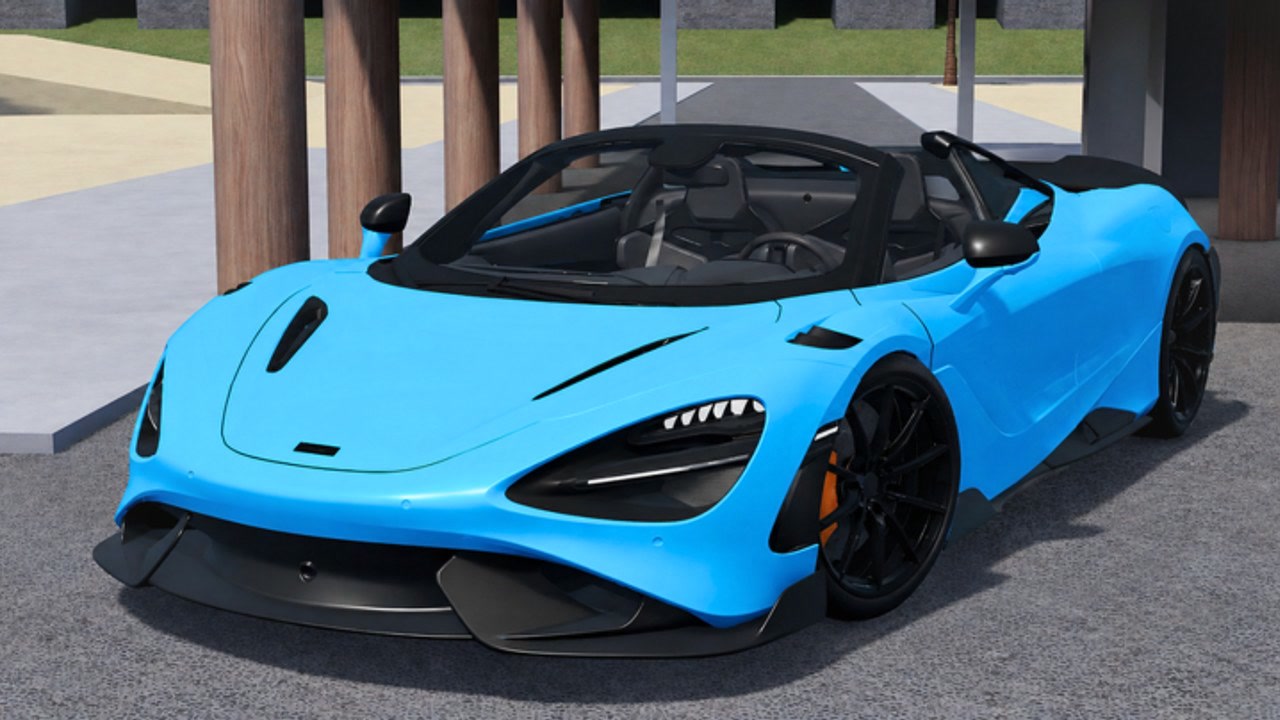
Car Driving Ultimate is a free-to-play Roblox vehicle sandbox (place 11145865512, universe 3986508457) built by creepertrolllol2434. You spawn onto a large open map, pick from 120+ cars, customize paint, and cruise or compete with up to 15 other players in a 16-player server. This getting-started guide covers the first hour so you learn the garage, the control sheet, and which systems to ignore until later.
Minute 0–5: load in clean
- Launch from the official Roblox game page (also linked on Wiki Links).
- Wait for the world and UI to finish — do not spam menus during the first load.
- Note server population; full servers (16) mean more traffic and more chaos at popular spawns.
- If friends are joining, share the server link before you drive across the map.
Optional but smart: join the official Discord (discord.gg/VCbcD86y) on your phone so patch notes and future codes pings are one tap away.
Minute 5–15: learn the control sheet
You do not need every bind memorized, but you must know these before highway speeds:
| Key | Action |
|---|---|
| WASD | Drive / steer |
| Q / E | Up / down (flying vehicles) |
| M | Auto / semi-auto transmission |
| P | Handbrake |
| V | Camera cycle |
| B | Camera lock |
| T | Traction control |
| Shift + P | Free camera |
Deep dive: Controls. On mobile, find the on-screen equivalents for handbrake, camera, and traction before you enter tight alleys.
Minute 15–30: pick a free car on purpose
Open the garage / dealership flow and filter mentally:
- Skip Admin Cars and Track Pass tabs until you understand pricing — those are Robux bundles explained on Gamepasses.
- Choose a stable free sports car as your first main using advice from Best Free Cars.
- Do a short parking-lot figure eight. If it feels nervous, swap now — do not “hope it clicks” ten kilometers away.
Watch the embedded Dema supercar overview mid-page for inspiration on how polished cars can feel once you explore higher tiers later. Inspiration is fine; spending Robux in the first 30 minutes usually is not.
Minute 30–45: short tour loop
Drive a deliberate loop instead of random wandering:
- Leave spawn on a main road.
- Practice braking before obvious intersections.
- Toggle T traction once on a wide straight to feel wheelspin differences.
- Tap P handbrake at low speed in an empty lot — preview for drifting.
- Cycle V cameras until you find a highway angle you trust; try B lock if the cam swings too much.
- If you own a flyer later, remember Q/E exist — you do not need them for normal cars.
Goal: survive the loop without rage-quitting into a barrier. Smooth > fast.
Minute 45–60: customize lightly + plan next unlocks
- Open Customization ideas: apply a simple paint so you can spot your car in traffic.
- Check whether any codes are active (spoiler for Nov 2026: none confirmed — still know how to redeem for later).
- Glance at badge goals: Miles Badges start at 500 Miles.
- Only then open Tier List if you are already thinking about Track vs Admin.
What to ignore in hour one
- Scripts / bypass tools — read Scripts Hub later if curious; never install random executors during onboarding.
- Buying every pass — compare value on Admin Cars after you have a free main.
- Chasing other games’ codes — Ultimate Driving codes will not work here.
- Free camera cinematography — Shift+P is awesome for clips, but learn to drive first.
Hour-two goals (preview)
Once the first hour feels comfortable:
- Practice a controlled drift parking-lot session.
- Push toward the 500 Miles badge with a comfortable cruiser.
- Watch an official trailer or update on the Updates Hub.
- Decide whether Track Pass’s eight race cars or Admin’s thirteen hypercars match your taste.
Checklist (print mentally)
- Loaded into a live server
- WASD + handbrake + traction tested
- Camera mode chosen
- Free main selected and painted
- Discord bookmarked
- Know where Codes / Tier List / Guides live on this wiki
Car Driving Ultimate rewards curiosity more than paywalls. Finish this first hour with one car you like and one control habit you trust — everything else in the wiki builds on that base.
Frequently Asked Questions
Quick answers about codes, cars, drift, and progression.
Is Car Driving Ultimate free to play?
Yes. The game is free on Roblox with optional Robux gamepasses for Admin Cars, Track Pass, and other bundles.
What should I buy first?
Nothing in the first hour. Learn controls and a free car, then compare Track Pass versus Admin Cars using the Gamepasses and tier pages.
How many players are in a server?
Server size is 16, so you will share the map with up to 15 others.
Where do I find codes as a new player?
Check the Codes Hub and Discord. As of November 2026 there are no confirmed active codes — do not use other games’ lists.
What is the first badge I should chase?
The 500 Miles badge is the natural first mileage goal after you can cruise comfortably.